📄 Invoice Processing
Extract vendor details, amounts, dates, and line items from invoices for automated accounting.
📋 Form Digitization
Convert paper forms into structured data for databases and workflow automation.
📊 Report Analysis
Extract tables, charts, and key metrics from business reports and presentations.
📚 Knowledge Base
Process documents for searchable knowledge bases and document management systems.
📝 Contract Analysis
Extract key terms, dates, and clauses from legal documents and contracts.
🏥 Medical Records
Process patient forms, prescriptions, and medical reports for digital health systems.
### Supported Formats
Pawa AI can parse and understand a wide range of formats, including:
* **PDFs**
* **DOCX**
* **Excel (XLSX)**
* **PowerPoint (PPTX)**
* **Images (PNG)**
* **Audio files**
* **Web links / HTML**
### Documents Parsing Request Example
```bash theme={null}
curl --request POST \
--url https://api.pawa-ai.com/v1/documents/parse \
--header "Authorization: Bearer $PAWA_AI_API_KEY" \
--header 'Content-Type: multipart/form-data' \
--form model=pawa-v1-parser-20250809 \
--form documents=@example-file
```
### Response format example
```json theme={null}
{
"success": true,
"message": "Documents parsed successfully",
"data": [
{
"fileName": "file.pdf",
"fileType": "application/pdf",
"fileSize": 123456,
"content": "This is the content of the document."
}
]
}
```
### Use Chat Request to get Structured Data After Extraction
After parsing a document, use Pawa AI's chat models to extract structured data, answer questions, or analyze the content.
To learn more about structured data, visit [here](/capabilities/structured).
#### Example to get structured request
```bash theme={null}
# 1. Parse the invoice
curl --request POST \
--url https://api.pawa-ai.com/v1/documents/parse \
--header "Authorization: Bearer $PAWA_AI_API_KEY" \
--header 'Content-Type: multipart/form-data' \
--form model=pawa-v1-parser-20250809 \
--form documents=@example-file
# 2. Extract structured data using chat
curl https://api.pawa-ai.com/v1/chat/request \
-H "Content-Type: application/json" \
-H "Authorization: Bearer $PAWA_AI_API_KEY" \
-d '{
"model": "pawa-v1-blaze-20250318",
"messages": [
{
"role": "system",
"content": [
{
"type": "text",
"text": "Extract invoice data and return as JSON with fields, as given in the response_format"
}
]
},
{
"role": "user",
"content": [
{
"type": "text",
"text": "Extract data from this invoice is :\n\n'here put the actual textual data extracted.........'"
}
]
}
],
"response_format": {
"type": "json_schema",
"json_schema": {
"name": "invoice_extractor",
"strict": true,
"schema": {
"type": "object",
"properties": {
"reference_id": {
"type": "string",
"description":"The id of the invoice",
"pattern": "^\\d+$"
}
},
"required": [
"reference_id"
],
"additionalProperties": false
}
}
}
}'
```
### Best Practices for Structured Extraction
* **Be specific in prompts**: Clearly define the JSON schema you want
* **Use examples**: Show the model the format you expect
* **Validate output**: Always parse and validate the JSON response
* **Handle errors**: Check for malformed JSON and retry if needed
* **Batch processing**: Process multiple documents with the same extraction template
### Limits
* **File size**: Maximum 15MB per document
* **Rate limits**: Based on your subscription plan
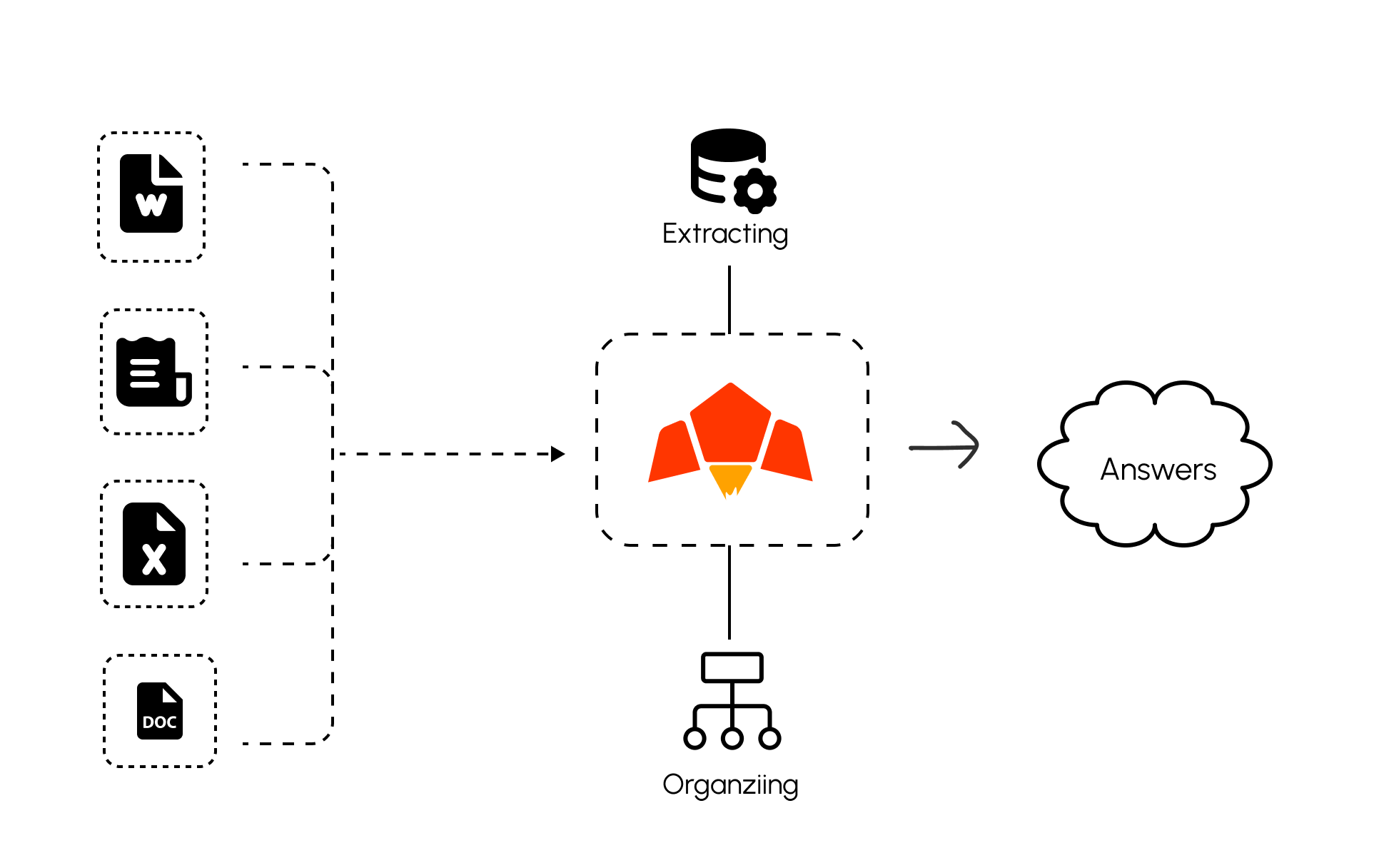 ### Parsing Based Models in Pawa AI.
Currently we have one parsing model, full advanced, OCR built-in:
* **pawa-v1-parser-20250809**: Structured extraction and data understanding for unstructured text, enabling automation and insights.
## Some Use Cases of Our Document Parsing API
### Parsing Based Models in Pawa AI.
Currently we have one parsing model, full advanced, OCR built-in:
* **pawa-v1-parser-20250809**: Structured extraction and data understanding for unstructured text, enabling automation and insights.
## Some Use Cases of Our Document Parsing API