> ## Documentation Index
> Fetch the complete documentation index at: https://docs.pawa-ai.com/llms.txt
> Use this file to discover all available pages before exploring further.
# Vision
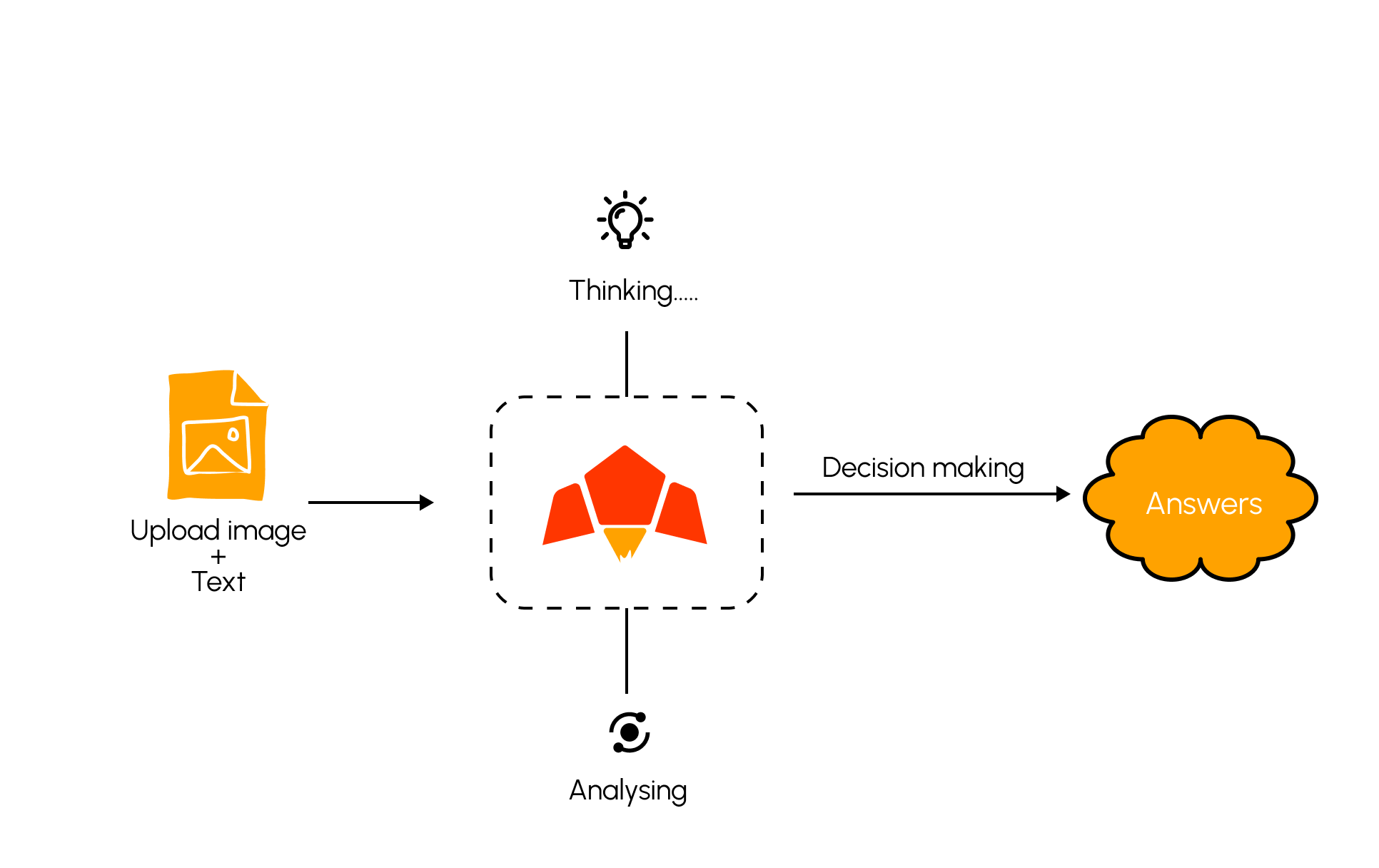
> Pawa AI models’ vision capabilities enable analyzing images and providing insights based on visual content, in addition to text. This multimodal approach opens up new possibilities for applications that require both textual and visual understanding.
With Pawa AI’s vision capabilities, your applications can go **beyond text-only understanding** and incorporate **visual information** into reasoning, analysis, and decision-making.
> **Pawa AI Vision Example**
 For more specific use cases related to **document parsing and data extraction**, we recommend exploring our **Document Parsing documentation** [here](/capabilities/documents-parsing).
### Vision Based Models in Pawa AI.
Currently we have one vision model:
* **pawa-v1-blaze-20250318**: A powerful small language model (SLM) optimized for reasoning, complex generation, multimodal, tools understanding, agentic workflow, and advanced knowledge tasks.
### How to send multimodal chat request with Pawa AI ?
```bash theme={null}
curl https://api.pawa-ai.com/v1/chat/request \
-H "Content-Type: application/json" \
-H "Authorization: Bearer $PAWA_AI_API_KEY" \
-d '{
"model": "pawa-v1-blaze-20250318",
"messages": [
{
"role": "user",
"content": [
{ "type": "text", "text": "Describe the main objects in this image and their colors." },
{ "type": "image_url", "image_url": { "url": "https://example.com/path/to/image.jpg" } }
]
}
]
}'
```
```bash theme={null}
curl https://api.pawa-ai.com/v1/chat/request \
-H "Content-Type: application/json" \
-H "Authorization: Bearer $PAWA_AI_API_KEY" \
-d '{
"model": "pawa-v1-blaze-20250318",
"messages": [
{
"role": "user",
"content": [
{ "type": "text", "text": "What is the difference of these images?" },
{ "type": "image_url", "image_url": { "url": "https://example.com/path/to/image.jpg" } }
{ "type": "image_url", "image_url": { "url": "https://example.com/path/to/image.jpg" } }
{ "type": "image_url", "image_url": { "url": "https://example.com/path/to/image.jpg" } }
]
}
]
}'
```
#### Use Cases
Classify the overall content of an image into one or more categories.
```bash theme={null}
curl https://api.pawa-ai.com/v1/chat/request \
-H "Content-Type: application/json" \
-H "Authorization: Bearer $PAWA_AI_API_KEY" \
-d '{
"model": "pawa-v1-blaze-20250318",
"messages": [
{
"role": "user",
"content": [
{ "type": "text", "text": "Classify this image by scene and mood." },
{ "type": "image_url", "image_url": { "url": "https://example.com/path/to/image.jpg" } }
]
}
]
}'
```
Example output:
```json theme={null}
{
"labels": ["outdoor", "campfire", "night"],
"confidence": {"outdoor": 0.97, "campfire": 0.94, "night": 0.90},
"summary": "A night outdoor scene with a campfire and people nearby."
}
```
Detect and locate multiple objects in the image with rough descriptions.
```bash theme={null}
curl https://api.pawa-ai.com/v1/chat/request \
-H "Content-Type: application/json" \
-H "Authorization: Bearer $PAWA_AI_API_KEY" \
-d '{
"model": "pawa-v1-blaze-20250318",
"messages": [
{
"role": "user",
"content": [
{ "type": "text", "text": "List the objects you see and their approximate positions." },
{ "type": "image_url", "image_url": { "url": "https://example.com/path/to/store-shelf.jpg" } }
]
}
]
}'
```
Example output:
```json theme={null}
{
"objects": [
{"label": "laptop", "bbox": [120, 80, 460, 320]},
{"label": "coffee-cup", "bbox": [480, 260, 560, 340]}
],
"summary": "A laptop on a desk with a coffee cup on the right."
}
```
Extract text or structured fields from receipts, invoices, or forms. For advanced usage you can combine with `response_format`
```bash theme={null}
curl https://api.pawa-ai.com/v1/chat/request \
-H "Content-Type: application/json" \
-H "Authorization: Bearer $PAWA_AI_API_KEY" \
-d '{
"model": "pawa-v1-blaze-20250318",
"messages": [
{
"role": "user",
"content": [
{ "type": "text", "text": "Extract the total, date and vendor name from this receipt." },
{ "type": "image_url", "image_url": { "url": "https://example.com/path/to/receipt.jpg" } }
]
}
]
}'
```
Example output:
```json theme={null}
{
"vendor": "Moshi Supermarket",
"date": "2025-03-18",
"total": 16450,
"currency": "TZS"
}
```
### Best practices
* Resize large images to a reasonable resolution (e.g., 1024px max on the longest side) to reduce latency without losing salient details.
* Prefer `image_url` for repeatable, production traffic. Use signed URLs that expire quickly if assets are private.
* Provide clear textual instructions that set expectations ("list objects with colors and approximate positions").
* For OCR, favor sharp, high‑contrast images. If possible, crop to the relevant region before sending.
* When sending multiple images, order them logically and reference them in the text ("in the second photo, compare…").
### Supported formats and limits
* Formats: `jpg/jpeg`, `png`
* Max image size: 25 MiB per image
* Number of images per request: no hard limit; practical limits depend on latency and payload size
* Base64 payloads should include the MIME type in the content object
### Privacy & security
* Assets sent via `image_url` are fetched server‑side only for the duration of the request. Use time‑limited signed URLs for private content.
* Inputs may be logged for abuse monitoring and quality unless you enable data controls in your dashboard.
### Troubleshooting
* Image not found: Ensure the `image_url` is publicly reachable or signed correctly; test with `curl -I `.
* Payload too large: Downscale images or switch to `image_url`.
* Poor OCR quality: Increase resolution, improve lighting/contrast, or crop tighter around text.
* Slow responses: Host images on a nearby region/CDN and reduce image dimensions.
For more specific use cases related to **document parsing and data extraction**, we recommend exploring our **Document Parsing documentation** [here](/capabilities/documents-parsing).
### Vision Based Models in Pawa AI.
Currently we have one vision model:
* **pawa-v1-blaze-20250318**: A powerful small language model (SLM) optimized for reasoning, complex generation, multimodal, tools understanding, agentic workflow, and advanced knowledge tasks.
### How to send multimodal chat request with Pawa AI ?
```bash theme={null}
curl https://api.pawa-ai.com/v1/chat/request \
-H "Content-Type: application/json" \
-H "Authorization: Bearer $PAWA_AI_API_KEY" \
-d '{
"model": "pawa-v1-blaze-20250318",
"messages": [
{
"role": "user",
"content": [
{ "type": "text", "text": "Describe the main objects in this image and their colors." },
{ "type": "image_url", "image_url": { "url": "https://example.com/path/to/image.jpg" } }
]
}
]
}'
```
```bash theme={null}
curl https://api.pawa-ai.com/v1/chat/request \
-H "Content-Type: application/json" \
-H "Authorization: Bearer $PAWA_AI_API_KEY" \
-d '{
"model": "pawa-v1-blaze-20250318",
"messages": [
{
"role": "user",
"content": [
{ "type": "text", "text": "What is the difference of these images?" },
{ "type": "image_url", "image_url": { "url": "https://example.com/path/to/image.jpg" } }
{ "type": "image_url", "image_url": { "url": "https://example.com/path/to/image.jpg" } }
{ "type": "image_url", "image_url": { "url": "https://example.com/path/to/image.jpg" } }
]
}
]
}'
```
#### Use Cases
Classify the overall content of an image into one or more categories.
```bash theme={null}
curl https://api.pawa-ai.com/v1/chat/request \
-H "Content-Type: application/json" \
-H "Authorization: Bearer $PAWA_AI_API_KEY" \
-d '{
"model": "pawa-v1-blaze-20250318",
"messages": [
{
"role": "user",
"content": [
{ "type": "text", "text": "Classify this image by scene and mood." },
{ "type": "image_url", "image_url": { "url": "https://example.com/path/to/image.jpg" } }
]
}
]
}'
```
Example output:
```json theme={null}
{
"labels": ["outdoor", "campfire", "night"],
"confidence": {"outdoor": 0.97, "campfire": 0.94, "night": 0.90},
"summary": "A night outdoor scene with a campfire and people nearby."
}
```
Detect and locate multiple objects in the image with rough descriptions.
```bash theme={null}
curl https://api.pawa-ai.com/v1/chat/request \
-H "Content-Type: application/json" \
-H "Authorization: Bearer $PAWA_AI_API_KEY" \
-d '{
"model": "pawa-v1-blaze-20250318",
"messages": [
{
"role": "user",
"content": [
{ "type": "text", "text": "List the objects you see and their approximate positions." },
{ "type": "image_url", "image_url": { "url": "https://example.com/path/to/store-shelf.jpg" } }
]
}
]
}'
```
Example output:
```json theme={null}
{
"objects": [
{"label": "laptop", "bbox": [120, 80, 460, 320]},
{"label": "coffee-cup", "bbox": [480, 260, 560, 340]}
],
"summary": "A laptop on a desk with a coffee cup on the right."
}
```
Extract text or structured fields from receipts, invoices, or forms. For advanced usage you can combine with `response_format`
```bash theme={null}
curl https://api.pawa-ai.com/v1/chat/request \
-H "Content-Type: application/json" \
-H "Authorization: Bearer $PAWA_AI_API_KEY" \
-d '{
"model": "pawa-v1-blaze-20250318",
"messages": [
{
"role": "user",
"content": [
{ "type": "text", "text": "Extract the total, date and vendor name from this receipt." },
{ "type": "image_url", "image_url": { "url": "https://example.com/path/to/receipt.jpg" } }
]
}
]
}'
```
Example output:
```json theme={null}
{
"vendor": "Moshi Supermarket",
"date": "2025-03-18",
"total": 16450,
"currency": "TZS"
}
```
### Best practices
* Resize large images to a reasonable resolution (e.g., 1024px max on the longest side) to reduce latency without losing salient details.
* Prefer `image_url` for repeatable, production traffic. Use signed URLs that expire quickly if assets are private.
* Provide clear textual instructions that set expectations ("list objects with colors and approximate positions").
* For OCR, favor sharp, high‑contrast images. If possible, crop to the relevant region before sending.
* When sending multiple images, order them logically and reference them in the text ("in the second photo, compare…").
### Supported formats and limits
* Formats: `jpg/jpeg`, `png`
* Max image size: 25 MiB per image
* Number of images per request: no hard limit; practical limits depend on latency and payload size
* Base64 payloads should include the MIME type in the content object
### Privacy & security
* Assets sent via `image_url` are fetched server‑side only for the duration of the request. Use time‑limited signed URLs for private content.
* Inputs may be logged for abuse monitoring and quality unless you enable data controls in your dashboard.
### Troubleshooting
* Image not found: Ensure the `image_url` is publicly reachable or signed correctly; test with `curl -I `.
* Payload too large: Downscale images or switch to `image_url`.
* Poor OCR quality: Increase resolution, improve lighting/contrast, or crop tighter around text.
* Slow responses: Host images on a nearby region/CDN and reduce image dimensions.